Run the scanner. See what you own.
Two small read-only scanners report what every Windows and Linux machine has installed. Vera AI names each title, maps the estate by vendor and license, and holds it against the lines you pay for.
AI does the licensing. No human operator.
There is no agent to install and maintain: two small read only scanners run through the tools you already use. From then on AI names what is installed, builds the license position and tells you what to fix.
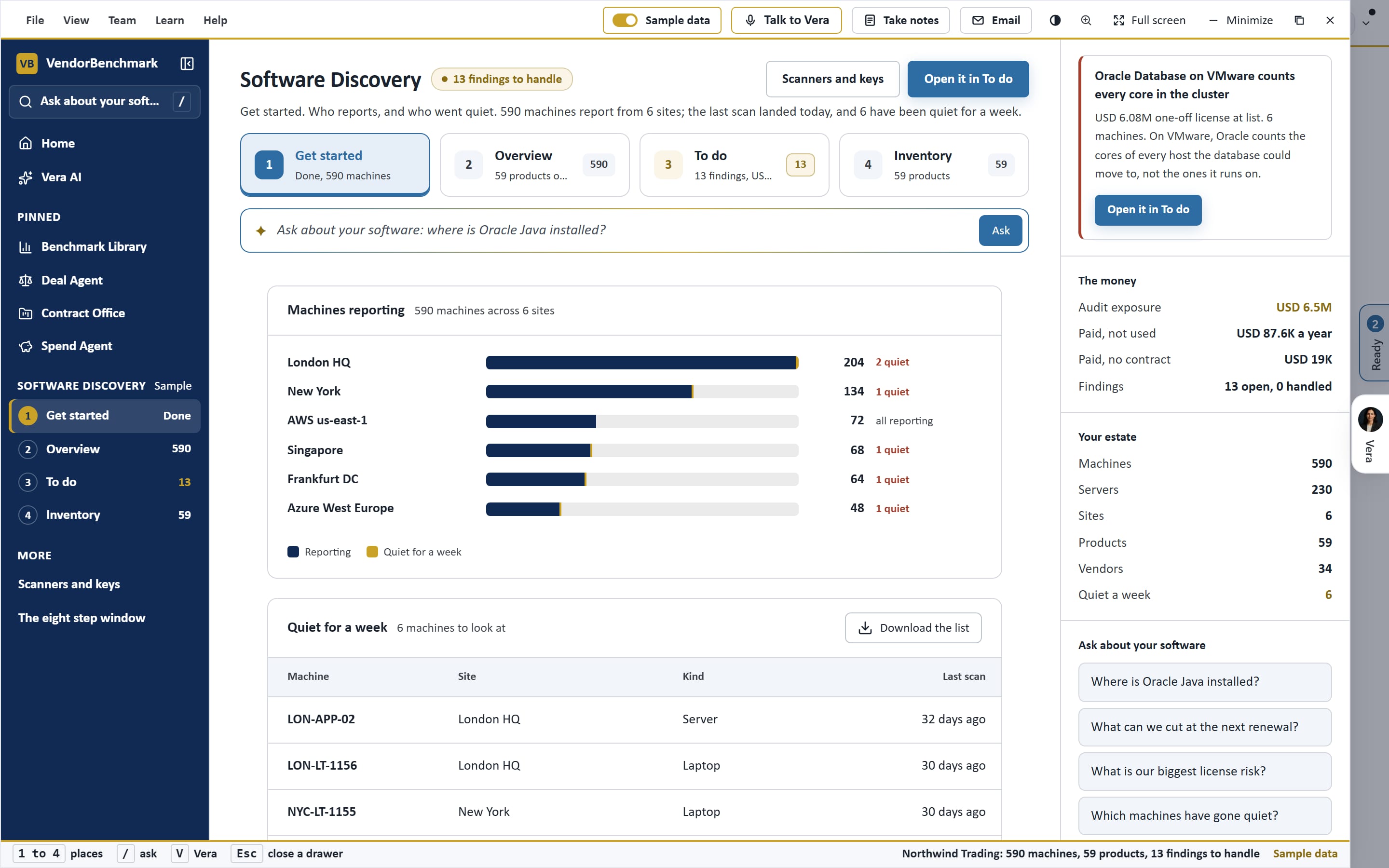
Machines report
Read only, every six hours, daily or weekly
ScannersTitles named
Vendor, product and license, named once, kept named
Ai AgentPosition built
Paid against installed, with the money a year
Ai AgentFixes flagged
The biggest money and the largest audit risk first
Ai Agent
Deploy, scan, see.
Roll the scanner out with the tool you already use. Every machine that reports lands on the map.
Issue a token
An owner issues a discovery token. It can only add scans; it cannot read the workspace, and it expires in a year.
Deploy the scanners
One for Windows, one for Linux, rolled out through Intune, Group Policy, Configuration Manager, Ansible, cron or SSH.
Machines report
Each machine pushes its installed programs on the schedule you set: every six hours, daily or weekly.
Every title is named
Installs are matched to vendor, product and license. Anything new is named once and stays named.
Held against your contracts
Paid against installed for every line, with the money a year, and the audit risks ranked.
Visibility of what you own.
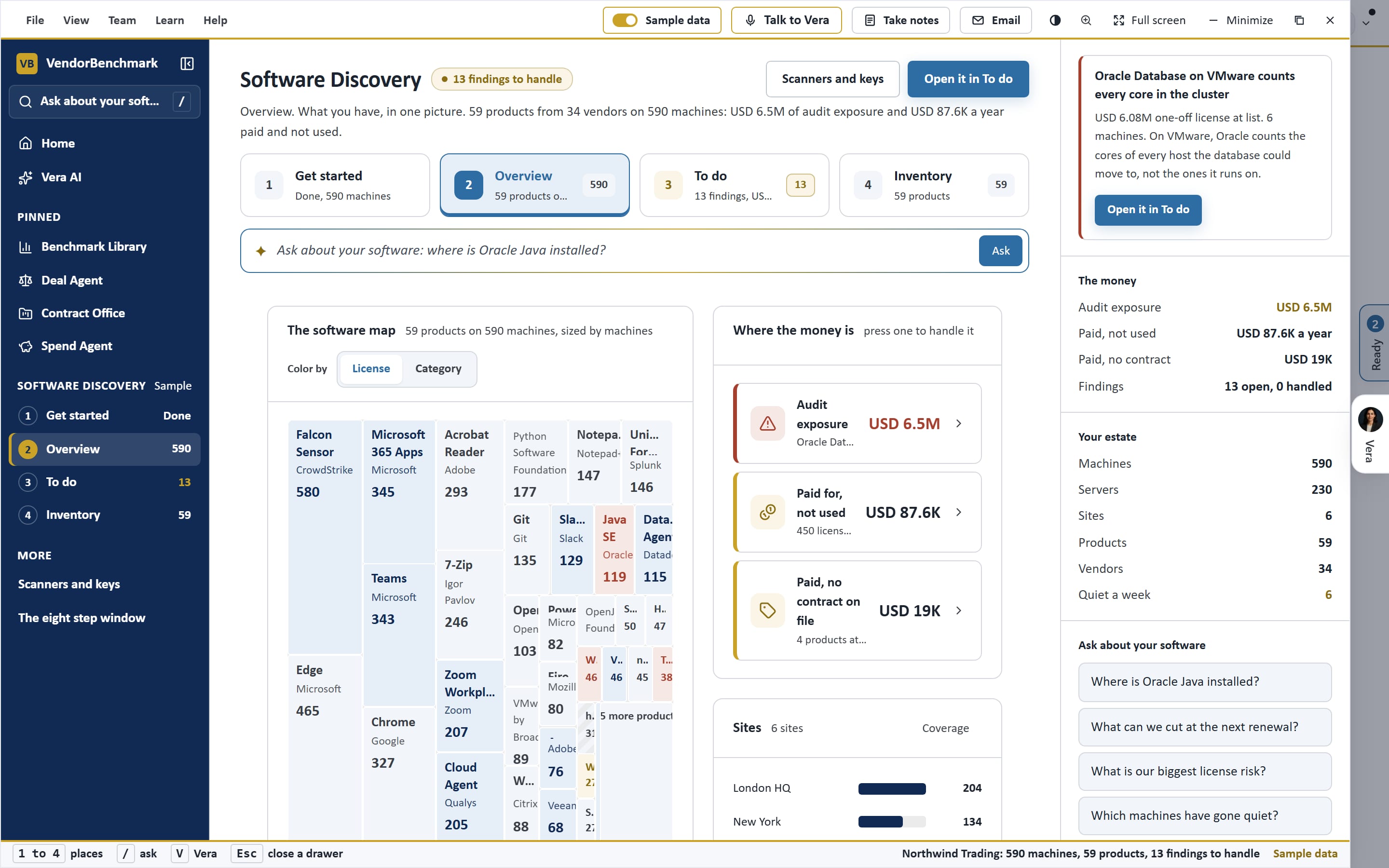
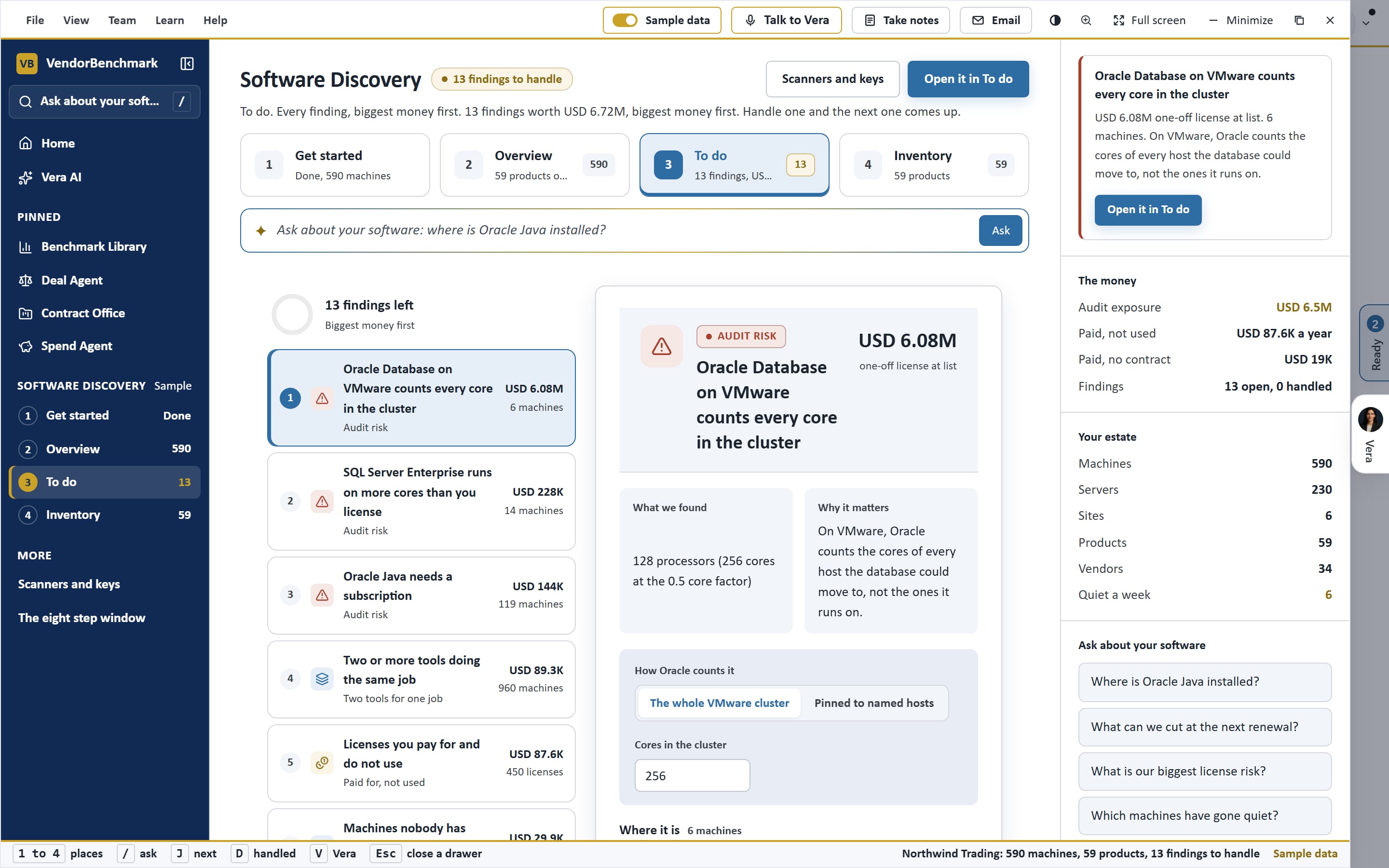
The overview, the to do list and getting started, on the sample estate.
See it on your own data.
See the scanners, the map and the audit list on an estate like yours.
Where the money and the risk are.
Every finding is tied to the machines it came from.
The map
MapEvery product as a tile, by vendor or category, sized by machines or spend at list, colored by license position.
Paid and unused
SavingSeats you pay for that no machine runs, and the next renewal with seats to cut.
Paid with no contract
CheckCommercial software installed with nothing on file to cover it.
Audit risk
RiskOracle Java, Oracle Database on VMware, SQL Server Enterprise cores and more, each with the fix to try.
Rationalize
SavingOne tool per job, paid seats on machines nobody has signed in to, and versions past end of support.
Ask about the estate
VeraWhere a product runs, the next renewal cut, the largest risk, answered from your machines.
Read only, by design.
What the scanners do and never do.
Changes nothing
RuleThe scanners only read, and need no administrator rights.
Never reads your data
RuleNo file contents, user names, email or IP addresses. Machine IDs and serials are sent only as hashes.
Push only tokens
RuleShown once, stored as a hash, expire in a year, and every push is in the audit log.
What is installed that nobody bought?
Load the sample estate in minutes, or scan your own laptop first. Enterprise pricing, scoped with sales.